
Private custody log for iPhone
Protect what
matters most.
Oya Shield keeps a calm, credible record of custody incidents and shared expenses — timestamped, photo‑backed, and tamper‑evident. Ready to export the day it counts.
Why it matters
Custody disputes are decided on details — and details fade.
Plans change last minute. Conversations get heated. And the moments that genuinely affect your child are exactly the ones that are hardest to recall clearly weeks later — in mediation, or in front of a judge, “I think it was a Tuesday”isn't enough.
Oya Shield gives you a calm, two-minute habit: capture what happened while it's fresh, and let the record build itself — organized, timestamped, and searchable. Not to fuel the conflict, but so you can put it down and be present with your child.
The Shield
Edits don't overwrite.
Ever.
A log is only as strong as its weakest question: “how do we know this wasn't changed later?” Oya Shield answers it by design — no one, including you, can quietly rewrite the record after the fact.
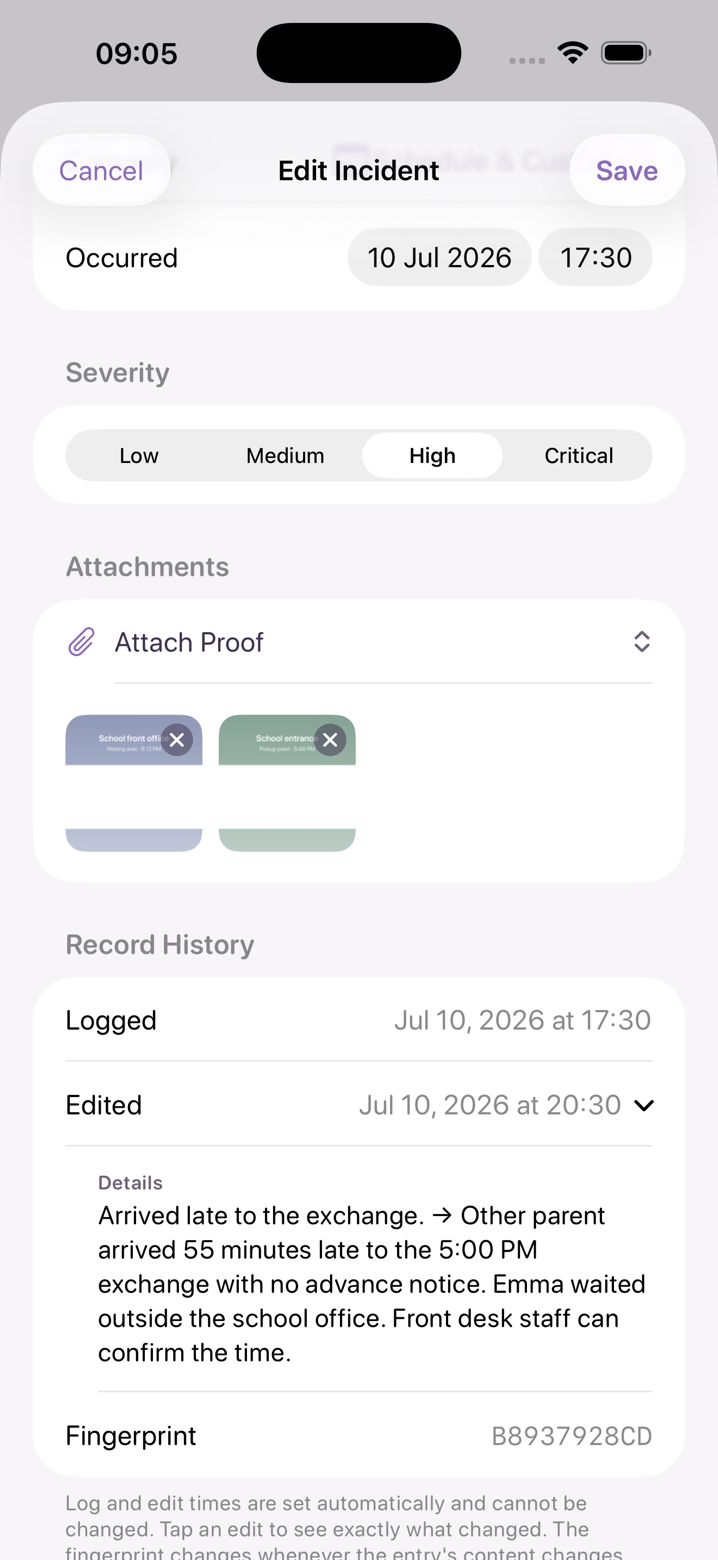
Every edit becomes an amendment
Change a detail and the original stays on record, with a history showing exactly what changed and when.
Deletes are never silent
Deleted entries are marked, not erased. Your log has no gaps to explain.
Exports show their work
PDF reports note amended entries, so what you hand to a mediator or attorney is transparent about its own history.
Two ledgers, one record
Everything that happens, in its place
The custody log
A fair account, captured in two minutes
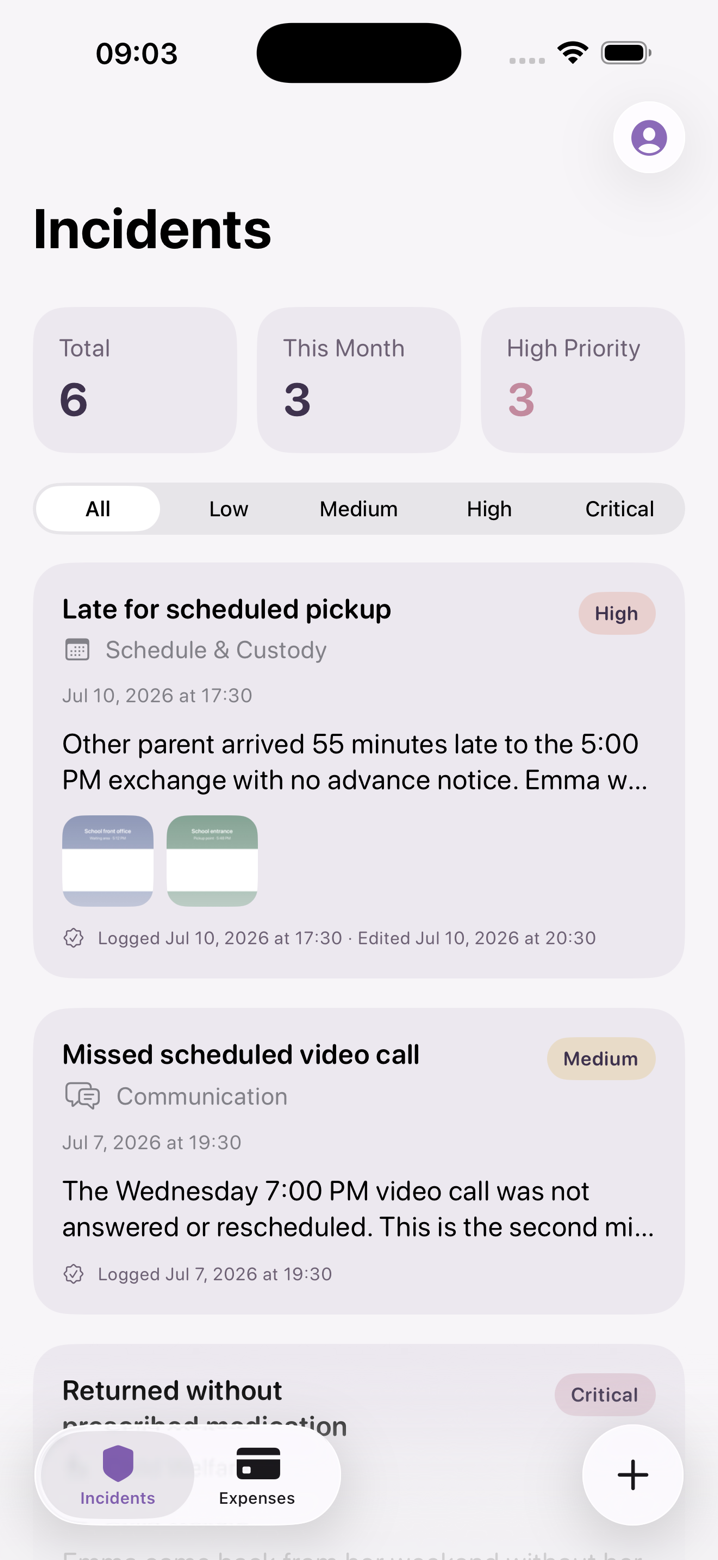
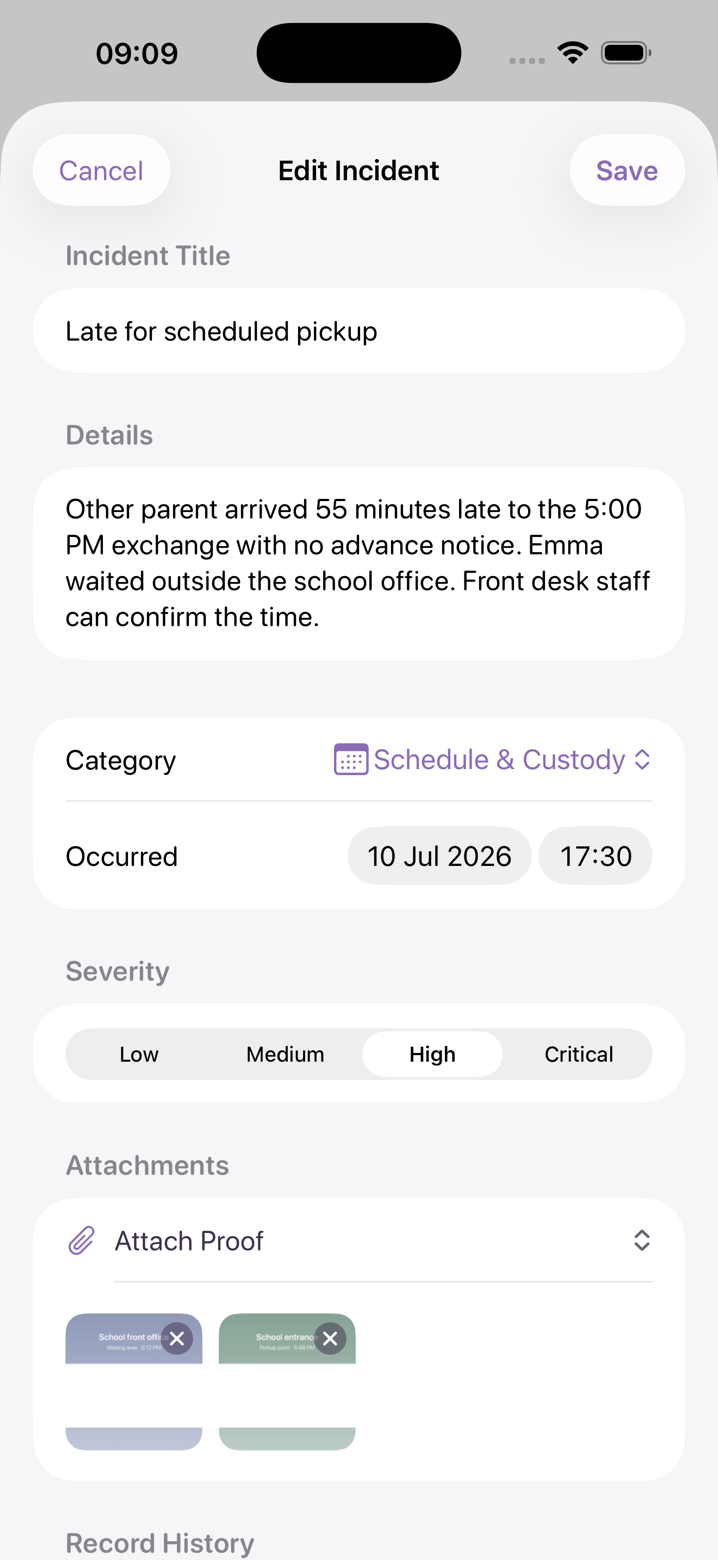
Every incident gets a title, description, category, type, severity, and the date it occurred — plus photos when you have them. Search and filter the whole log, and see totals, high-priority counts, and this month's activity at a glance.
The expense ledger
Shared costs, without the back-and-forth
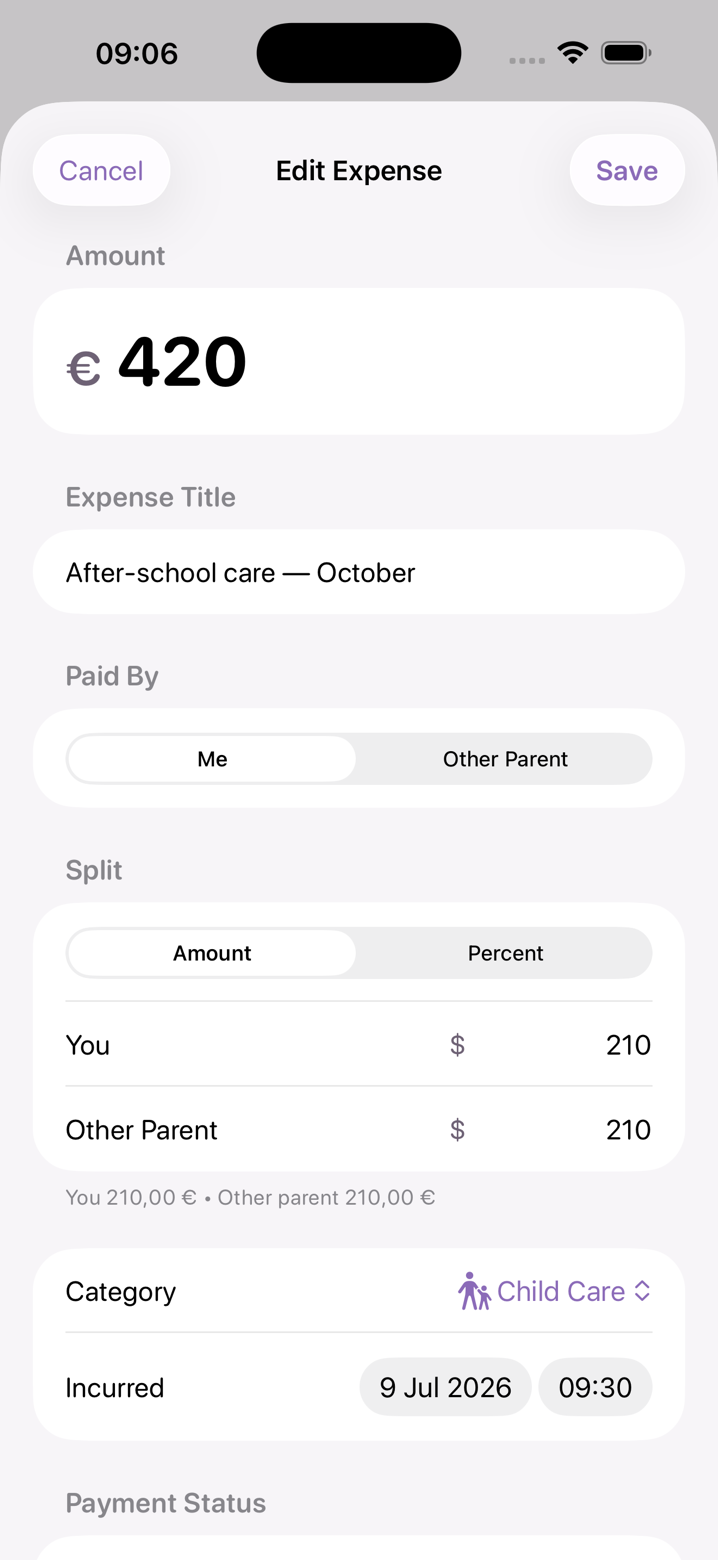
Log co-parenting expenses as they happen and split each one by percentage or exact amount. Attach the receipt, pick a category, and the ledger keeps a clean running account — no more disputes reconstructed from screenshots.
- · Split by percentage or fixed amounts
- · Categories for school, medical, activities & more
- · Attach receipt photos to any entry
- · Outstanding, settled, and this-month totals
Everything in the app
Built for clarity and calm
Fast incident logging
Title, description, category, type & date occurred
Severity levels
Critical, High, Medium, Low — triage at a glance
Amendment history
Edits preserve the original; every change is on record
Soft delete
Removed entries are marked, never erased
Photo evidence
Attach photos to incidents and receipts to expenses
Shared-expense splitting
By percentage or exact amount, categorized
Search & filters
Find any entry by keyword, category, or severity
At-a-glance stats
Totals, high-priority and this-month counts
PDF export
A clean, dated report — amended entries noted
Passwordless sign-in
One-time email codes; nothing to remember or leak
Private by design
Your log is yours alone.
Documenting a difficult relationship takes trust. Oya Shield is built so you never have to wonder who can see what you wrote.
Encrypted
Your records are encrypted and private to your account — never visible to your co-parent, and never shared.
Passwordless
Sign in with a one-time email code. No password to remember — or to leak.
Yours to take
Export your full record as a PDF anytime. Your documentation belongs to you.
How it works
Log it in seconds
A late pickup, a missed appointment, a shared expense — capture it while it's fresh.
The record builds itself
Timestamped, categorized, searchable. Amendments and deletions tracked automatically.
Export when it counts
One tap produces a clean, dated PDF for your files, your mediator, or your attorney.
Start free. Keep everything.
Try Oya Shield free for a full week, then continue with one simple subscription. Every feature included — no tiers, no locked exports. Cancel anytime in the App Store.
iPhone · Auto-renews after the trial unless cancelled
FAQ
Fair questions
The things people ask before trusting an app with something this personal.

Start your record today.
Hopefully you'll never need it.
The best time to start documenting was when things got hard. The second-best time is today — before the next detail fades.